
QuidiVidi is a non-indexing side project of Picardy Indexing. It is used to analyze linguistic transcripts encoded in CHAT format.
You can use QuidiVidi to calculate:
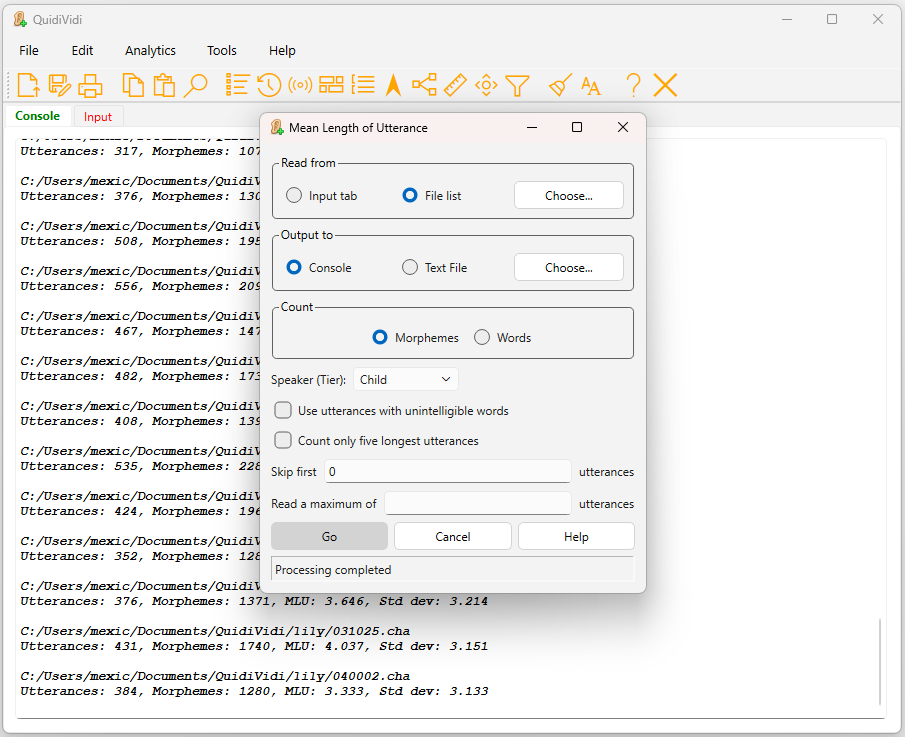
- MLU (mean length of utterance), MLT, MLU5
- Word/morpheme frequencies
- Brown’s morphemes counts
- Lexical class percentages (nouns, verbs, etc.)
- Maximum length of words/utterances
- Comparisons between tokens on different CHAT tiers
- Distribution of words, utterances, and turns of various lengths
- Lexical diversity
- Cluster frequency
- Average distances between occurrences of a word
You can also filter the input on tier-specific search terms.
QuidiVidi is available for Windows™, Macintosh™, and Linux. Your feedback is welcomed (picardy.indexing@gmail.com)! Bug reports and feature requests may be incorporated into future releases.
Terms and conditions
QuidiVidi is free of charge and freely distributable. The source code will not be made available. QuidiVidi is licensed under Creative Commons Attribution 4.0 International. To view a copy of this license, visit https://creativecommons.org/licenses/by/4.0/ (I’m not a lawyer, but my interpretation of the license is that, basically, you don’t have to pay me anything to download and use the software, and I can’t be held liable if the software doesn’t work the way you expect. Furthermore, you can redistribute and/or repackage the software into a product of your own but you need to give me credit.)
Downloads
Click below to download an installer for the appropriate platform.
Just a note: Since the Windows and Macintosh versions are not registered/notarized with Microsoft and Apple, your system will probably put up some resistance to downloading and/or installing them. I can only give you my word that they’re not malware. Check the troubleshooting guide if you have problems.
Note for Macintosh and Linux users: QuidiVidi’s toolbar buttons use the Segoe MDL2 Assets font; Windows has this font installed by default, but Macintosh and Linux don’t. If you don’t have this font, QuidiVidi will use an alternate toolbar consisting of image icons. If you want to use the font-based toolbar, you can download the font from Microsoft here. Look here if you need instructions for installing fonts in Linux.
Windows (.exe; 32MB; uploaded August 24, 2026)
Linux (tar.gz; 81MB; uploaded August 23, 2026)
Macintosh (.zip; 39MB; uploaded August 24, 2026)